





Description
This option allows you to upload advertisements to be displayed in the customer app from the administrative portal.
How to add an advertisement
- Enter the portal.
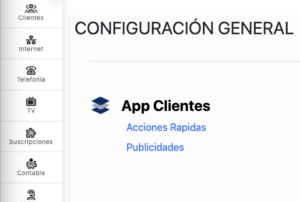
- Open the side menu Several, go to the section Customer app and then Advertisements.

- Verify that the listing shows the ads that have not been deleted.
- Press Add advertising.
- Complete the Qualification. This field is required.
- Optionally complete Caption, Background, Image y Link.

- Save the changes.

Available fields
- Qualification: main text that the client will see.
- Caption: secondary text of the advertisement.
- Background: Background color of the advertisement. Can be uploaded as hexadecimal code.
- Image: direction of the image that accompanies the advertisement.
- Link: address to which the customer will be sent upon touching the advertisement.
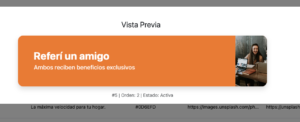
Preview
From the listing, you can open a preview to see how the advertising will look before using it.
Order of appearance
To change the order, use the option Order, move the advertisements to the desired position and press Update.
Deletion and reactivation
A deleted ad is no longer displayed as active. If it is reactivated, it is added back to the end of the current order.